Wednesday, November 2, 2011

MongoDB for MySQL folks part 3 - More on queries and indexes

Last time I wrote about MongoDB for MySQL DBAs I described some of the basics of MongoDB querying, and this time I'll follow that up with some more on querying.

As we saw last time, the basic format of a MongoDB query is:
db.find(<query>,<attributes>)
Note that you do NOT replace db with the name of the database you want to query here, you just make the database you want to use the current one and issue the query, such as:
> use test
> db.mycoll.find()
The example above will find all objects in the mycoll collection, and will include all the object attributes and also the key (_id), like this:
{ "_id" : ObjectId("4eb0634807b16556bf46b214"), "c1" : 1 }
{ "_id" : ObjectId("4eb0634a07b16556bf46b215"), "c2" : 1 }
{ "_id" : ObjectId("4eb0635607b16556bf46b216"), "c1" : 2, "c2" : 2 }
{ "_id" : ObjectId("4eb0635e07b16556bf46b217"), "c3" : 3 }
The Object id is generated by MongoDB itself here, although you can set it yorself if you want to, as long as it's unique. The insert method is used to insert data:
> db.mycoll.insert({c3: 4, c4: 'some string'})
> db.mycoll.find()
results in;
{ "_id" : ObjectId("4eb0634807b16556bf46b214"), "c1" : 1 }
{ "_id" : ObjectId("4eb0634a07b16556bf46b215"), "c2" : 1 }
{ "_id" : ObjectId("4eb0635607b16556bf46b216"), "c1" : 2, "c2" : 2 }
{ "_id" : ObjectId("4eb0635e07b16556bf46b217"), "c3" : 3 }
{ "_id" : ObjectId("4eb063d307b16556bf46b218"), "c3" : 4, "c4" : "some string" }
And as you can see, typing is automatic, or you can look at it as being type agnostic. Now, this wasn't much more than we saw last time, what we want is to select some specific objects and possibly get some specific columns from it, this is done by specifying one or two arguments to the find() method. For example, if I only want to get the object back that I inserted last above, I'd do this:
> db.mycoll.find({c3: 4})
{ "_id" : ObjectId("4eb063d307b16556bf46b218"), "c3" : 4, "c4" : "some string" }
And this wasn't really complicated, right? The condition is passed as a Java Script object notation, and that is fairly uncomplicated. But what happens for something slightly more than this really simple example, like a rangesearch? To get all objects where the c3 member is 4 or higher (which results in the same object as above by the way), you would write something like this, and :
> db.mycoll.find({c3: {$gt: 3}})
{ "_id" : ObjectId("4eb063d307b16556bf46b218"), "c3" : 4, "c4" : "some string" }
I will show some more $-operations beyond $gt in a later post, for now just accept that they exist and are documented here: Advanced Queries

The _id column is just annoying here, right now, but it is always shown by default, as are all the other object. To get rid of it for now, this will do the trick:
> db.mycoll.find({c3: {$gt: 3}}, {_id: 0})
{ "c3" : 4, "c4" : "some string" }
Not too bad, right, and kinda easy to understand. The falgs you pass for each field in the second argument may have one of three values:
  • 1 - Include this field. This is the default.
  • 0 - Do not include this field.
  • -1 - Include no fields except this one and the ObjectId. You may have more of these, in which case all the -1 flagged fields will be included.
Let's try a more advanced version. I want to the the c1 and c2 attributes, and nothing else, then I do this:
> db.mycoll.find({},{c1: -1, c2: -1, _id: 0})
{ "c1" : 1 }
{ "c2" : 1 }
{ "c1" : 2, "c2" : 2 }
{ }
{ }
As you can see, I have to explicitly exclude the _id field.

Online help
The mongo commandline tool for once has decent online help. Typing just help will show the options. For help on database specific operations, type db.help() and for collection specific operations, type db..help(), such as db.mycoll.help(). In JavaScript, a function is just another script, and adding arguments to the function will execute the function, but maybe you want to see how the function is implemented? The just type the name of the function, like this:
> db.mycoll.find
function (query, fields, limit, skip) {
return new DBQuery(this._mongo, this._db, this, this._fullName, this._massageObject(query), fields, limit, skip);
}

DBA Work - Indexing data and explain
What would a mongo DBA want to do? Let's try creating an index. Let's say we want an index on the c1 attribute in the mycoll collection as above, then we must use the ensureIndex() method on the collection in question, telling what columns I want to index, like this:
> db.mycoll.ensureIndex({c1: 1})
And that's it. Let's try to query that collection again, this time using the c1 column as an argument, and hopefully the index will be used:
{ "_id" : ObjectId("4eb0634807b16556bf46b214"), "c1" : 1 }
Right. But is the index used? I want to know that it is for a fact, or if it isn't, so I have something to complain to my developers about. In MySQL, you want use the EXPLAIN command and figure out what index are being used, but with mongo? Easy. Use the explain method, like this:
> db.mycoll.find({c1: 1}).explain()
{
"cursor" : "BtreeCursor c1_1",
"nscanned" : 1,
"nscannedObjects" : 1,
"n" : 1,
"millis" : 0,
"nYields" : 0,
"nChunkSkips" : 0,
"isMultiKey" : false,
"indexOnly" : false,
"indexBounds" : {
"c1" : [
[
1,
1
]
]
}
}
Hey, that's prett cool, right! The index is a standard B-tree index (the only index type available in MongoDB). An index can also be unique, like this:
> db.mycoll.ensureIndex({c2: 1}, {unique: true})
Which will create a unique index on the c2 attribute, but in our case it will not work:
E11000 duplicate key error index: test.mycoll.$c2_1 dup key: { : null }
What's going on here? Well, the c2 attribute isn't included in all objects, and but the index will include all objects, and MongoDB considers NULL a duplicate here (unlike an SQL NULL in which case this is not the case). So the real question here is, what do you want? As MongoDB is schema-free, and you can have any kind of attributes, and also looking at the data above, what I would probably want is an index on the c2 attrbute that makes sure that c2 is unique WHEN INCLUDED, if the c2 attribute isn't part of the object, then please mr. Indexer, ignore it. This is called a sparse index in MongoDB, and what it means is an index that just indexes the objects where the attribute is included.

Note that this may not always be what you want with non-unique indexes, but it often it is, and it makes seaching and inserting faster (as the index is smaller). In the case you have an attribute that is only rarely part of the object, and you want to find the objects where it IS included, this is just what you want.

In our case, the index is created like this:
> db.mycoll.ensureIndex({c2: 1}, {unique: true, sparse: true})
And this time we had no errors. Let's see how it works, first get some data:
> db.mycoll.find({}, {c2: 1, _id:0})
{ }
{ "c2" : 1 }
{ "c2" : 2 }
{ }
{ }
Now, let's see if the unique index on c2 will guarantee uniqueness by inserting a new row with an existing value for c2:
> db.mycoll.insert({c2: 1})
E11000 duplicate key error index: test.mycoll.$c2_1 dup key: { : 1.0 }
Yo! That worked as expected! As does this (which gives no errors):
> db.mycoll.insert({c2: 3})

That's it for now, I'll be back soon with some more MongoDB DBA stuff: Sharding!
/Karlsson

Wednesday, October 26, 2011

Databases in the Clouds - My Slides from Percona Live!

Due to some bad planning from my side, I failed to realize that I only had 30 minutes for my presentation at Percona Live in London on October 25, instead of the orginally planned 45 minutes. My bad! So I had to rush through the presentation, and I still had a bunch of slides I still wanted to show. To compensate for this, and for your reference, here are all my slides on Cloud Computing from the conference:


/Karlsson

Tuesday, October 25, 2011

Percona Live is now over!

And this was a great event! I'm at Heathrow catching a severely delayed flight back home to Stockholm now. Before I board the flight, I just letting you know that my slides will be on-line in a very short time.

It was great to meet you all there, and Percona does a great job of organizing these conferences and keeping the eco-system alive and kicking!

Thanx Peter Z and the whole Percona crew!
/Karlsson

Monday, October 24, 2011

At Percona Live in London now!


I'm now in London for the Percona Live conference! Come see me at 1:30 tomorrow tuesday October 24 and hear about running databases, BIG databases, in a cloud environment. MongoDB, Sphinx, MySQL what have you, all running in a Amazon EC2 environment. Lots of data,, lots of resources, lots of disks! And lots of fun!

/Karlsson

MongoDB for MySQL folks - Part 2

In this second part of a series of blogs on using a NoSQL database, in this case MongoDB, aimed at MySQL users, I will describe querying a bit. And it's probably not what you expected if you haven't tried a NoSQL database or MongoDB more specifically, before. The first blogpost on this subject is here.

At the heart of accessing MongoDB is JavaScript, more specifically it uses the Mozilla SpiderMonkey JavaScript engine. As I wrote in the previous blog on this subject, JavScript is all over the place in MongoB, largely you can look at MonngoDB as JavaScript with HUGE space for variables, and although many would look at this as gross oversimplification, it works as simple descripton of what we have here. JavaScript for querying, inserting, administration, scripting and "stored procedures" (they aren''t called this in MongoDB, but you know what I mean). And JSON (JavaScript Object Notation) for data, when inserting an object, you construct a JSON object, when you query, what you get back is a JSON object. etc etc. Internally, Mongo uses a binary representation of JSON called BSON.

So we have A LOT of JavaScript and JSON, and if you are no fan of JavaScript, then probably MongoDB isn't for you! In the MongoDB database there are collections then, which are similar to a table, but in a collection, there isn't, like in an RDBMS, a bunch of rows all with the same columns (attributes), instead there are multiple object, all using the same "primary key" (called _id) and the object itself is a JSON Object with any attributes. This is why MongoDB is "schemaless", there is no set schema for the objects (i.e. "rows") except the _id then.

The schemaless design sometimes gives the expressionh that beyond the unique access key, there is no other way to access the data and that you cannot have secondary indexes, but you sure can! But now I am getting ahead of myself.

Let's give MongoDB a shot. After installing MongoDB (which is dead simple) and starting the server, access the command-line using the "mongo" command line program. In the examples I show here, I use a sharded setup, so the prompt is "mongos", and it might be different in your case, depending on your configuration and version of MongoDB. First, lets create a database to play with;
mongos> use mytest
Hey, you ask, what is going on here? You never created a database, you just accessed it? Yes, that is the deal with MongoDB, you just access a database or a collection, and if it doesn't already exist, it is created for you. Which is the reason many MongoDB databases, even in production, has a bunch of wrongly spelled database and collection names.
Now, let's see of the database we access really exists.
mongos> show dbs
admin (empty)
config 0.1875GB
test (empty)
and as you can see, I lied to you, the mytest database isn't there at all! Well, the reason is that there is no collection there yet, so let's create one:
mongos> db.foo.insert({attr1: 1})
Again I am accessing something that doesn't exist to create it, in this case a collection called foo, where the first object has one attribute, attr1, with the value 1. Now, the mytest database should exist, as there is data in it, let's have a look:
mongos> show dbs
admin (empty)
config 0.1875GB
mytest 0.203125GB
And there you go, the mystest database is created and so is the collection foo:
mongos> show collections
foo
system.indexes
OK, there you go, a database and a collection for you. This is getting hotter! Let's insert some more data:
mongos> db.foo.insert({attr1: 2})
mongos> db.foo.insert({attr2: 3})
mongos> db.foo.insert({attr2: 4, attr3: 5})
All this is valid data, every object may have different and different number of attributes, fact is, every object can have any attribute you would want. Which doesn't necessarily make it a good idea, but it's good to have that feeling of complete freedom, right?
Some more inserts:
mongos> db.foo.insert({attr2: 4, attr4: {attr5: 6, attr6: 7}})
mongos> db.foo.insert({attr2: 4, attr7: [10, 11, 12]})
Here I first insert an object where one attribute in itself is an object, and then an object where one attribute is an array. Hey, cool!
Now, let's do some youerying. First just get att the data:
mongos> db.foo.find()
{ "_id" : ObjectId("4ea528fb35a81331e048baa9"), "attr1" : 1 }
{ "_id" : ObjectId("4ea52a4835a81331e048baaa"), "attr1" : 2 }
{ "_id" : ObjectId("4ea52a5035a81331e048baab"), "attr2" : 3 }
{ "_id" : ObjectId("4ea52a5f35a81331e048baac"), "attr2" : 4, "attr3" : 5 }
{ "_id" : ObjectId("4ea52ae635a81331e048baad"), "attr2" : 4, "attr4" : { "attr5" : 6, "attr6" : 7 } }
{ "_id" : ObjectId("4ea52afc35a81331e048baae"), "attr2" : 4, "attr7" : [ 10, 11, 12 ] }
The find() function is a built-in MongoDB function that retries data for you, and it can take 2 optional arguments, both of which is an object in itself (surprise!):
  1. A query-specification.
  2. The columes to return.
For example:
mongos> db.foo.find({ attr2: 3})
{ "_id" : ObjectId("4ea52a5035a81331e048baab"), "attr2" : 3 }

Here I am querying for all objects where c1 is 3. The attr2 attribute doesn't have an index on it, but I can query on it. To the use enforced _id key, just do this (in your case, you will se a different object id of course):
mongos> db.foo.find({ _id: ObjectId("4ea52a5035a81331e048baab")})
{ "_id" : ObjectId("4ea52a5035a81331e048baab"), "attr2" : 3 }
Before I close for now, let me show you how you can tell that the latter of the two last queries above was more effective by using explain() (you didn't expect that, did you):
mongos> db.foo.find({ attr2: 3}).explain()
{
"cursor" : "BasicCursor",
"nscanned" : 6,
"nscannedObjects" : 6,
"n" : 1,
"millis" : 0,
"nYields" : 0,
"nChunkSkips" : 0,
"isMultiKey" : false,
"indexOnly" : false,
"indexBounds" : {

}
}
The result from an explain is, as you would expect by now, a JavaScript object. Look at the nscanned attribute here. There is no index on the attr2 attribute, so all objects are scanned, compared to this:
mongos> db.foo.find({ _id: ObjectId("4ea52a5035a81331e048baab")}).explain()
{
"cursor" : "BtreeCursor _id_",
"nscanned" : 1,
"nscannedObjects" : 1,
"n" : 1,
"millis" : 22,
"nYields" : 0,
"nChunkSkips" : 0,
"isMultiKey" : false,
"indexOnly" : false,
"indexBounds" : {
"_id" : [
[
ObjectId("4ea52a5035a81331e048baab"),
ObjectId("4ea52a5035a81331e048baab")
]
]
}
}
Here, just one object is looked at, to get the data, and the id column is used to find it (look in the indexBounds attribute). So far, querying doesn't all that difficult to what you see in an RDBMS, except all those objects and JavaScript.

That's it for now, I'll be back with some more MongoDB lessons real soon! The next post will be on more advanced querying!

/Karlsson

Tuesday, October 4, 2011

NoSQL for us RDBMS folks - MongoDB 101

As you probably know, I have been doing RDBMS work for many years, some 25+ years by now. At Recorded Future I am the database architect, and although an RDBMS is used extensively, MySQL in this case, we are looking at options, and are currently doing more and more work using a NoSQL Solution, probably te most popular one by now, namely MongoDB.

And before you complan: NoSQL is not a good term, but someone with a longer NoSQL background should then find something better, not yours truly. And for all intents and purposes, you know what I am talking about, right?

I plan to post a few MongoDB posts here, how it looks like from an RDBMS dudes (like myself) POV. This is the first installment, but there will be more. I should also point out that I am no expert in NoSQL technologies in general, nor specifically in MongoDB, but I am trying, and our MongoDB setup is large and complex enough to serve as a decent example: We have a couple of Tb of data in Mongo, we use Replication and we use Sharding / Clustering whatever you want to call it. In addition, we run this puppy on Amazon EC2.

So, why did we move to MongoDB, and what are the results? I think the reason is two-fold:
  1. Better performance. Not better performance per se, but by using sharding and large in-memory stores, we can achive this.
  2. Better and easier to set up scalability. Again, this doesn't come by itself, nor is it without problems. But the built-in sharding in MongoDB actually does work reasonably well, and is largely transparent to the application.
This sounds great, doesn't it? Everyone wants better perforamnce and better scalability, right? And why can't we have MySQL to scale in the same way as MongoDB? Well, there are drawbacks to all this, but in our case, I think we can live with it.

An important thing to note here, I think, is this: Scalability is transparent and easy to use and implement because the basic idea of a NoSQL system (a key-value store in this case) is so simple: One unique key points to one value. That's it. This is easy to shard. Dead easy. A multi-table relational schema is much less so. But you could simplify the schema in MySQL to make it just as easy to shrd, but then what is the point of an RDBMS at all? And MongoDB Scalability is an incredibly important part of MongoDB performance (in addition to it's in-memory nature).

In our case, using Amazon EC2, scaleability is really important. A single Amazon instance is limited in terms of memory and CPU power. The limits are high (some 70G RAM for example), but there is still a limit. If you have, say, 500 Gb or a Tb or so of data, 70Gb might not be that much, so you have to shard or cluster or something. And this is where MongoDB rocks, it is easy to shard, the simple data structures in a NoSQL database mena this this can be done largely transparent, and all means that MongoDB Rocks for us.

Do we have other options? You bet! MySQL Cluster, NimbusDB (aka NuoDB), Oracle, Cassandra, etc etc, but we ended up with MongoDB for now.

So from a DBA POV, what is mongo then? To begin with, there is no SQL interface and no "query language" per se, rather to the user, MongoDB looks a lot like a Java Script environment with a lot of space for variables, sort of. MongoDB has databases, and in databases there are collections, which are sort of like tables in an RDBMS. A collection is a key-value store, you can define a key for the collection, or MongoDB will generate one for you. MongoDB is schemaless, which means that a collection doesn't not have any predefined columns or anything. Instead, if an object that you store has an attribute foo then you assign a value to it in your object and insert the object. That's it. And you can have an index on foo if you want to. And index in this case is a traditional B-Tree index, nothing more exciting than that.

An Object as above in Mongo is a JSON structure, which internally in Mongos is represented as BSON. To access the collections you use Java Script as I said before, like this to insert an object into the collection bar with the attribute foo:
db.bar.insert({foo: "foobar"});
In SQL this means: INSERT INTO bar(foo) VALUES('foobar')
Used this way, Mongo will assign the object a unique id, called _id, which is similar to the PRIMARY KEY in an SQL RDBMS. To retrieve the row we just inserted, use the command:
db.bar.find()
Which in SQL means: SELECT * FROM bar
And you get something like this back:
{ "_id" : ObjectId("4e8c9b2e2fde67676c2381ae"), "foo" : "anka" }

MongoDB has a big bunch of built-in Java Script methods, what I showed above was just a very basic sample. To use Mongo, knowing Java Script and JSON in general is more or less a requirement, and if you don't know these, and start using MongoDB, you will know then soon.

I will write some more blog-posts on Mongo eventually, but before I close this post, let me tell you one more thing. I never created the collections (bar) I used above. The reason is that yiu do not have to, it is created for you as you access it. The same goes for databases. This is the reason that you often end up with a bunch of misspelled databases and collections in mongo, which you can of cource drop after you have made a mistake, but as we are all lazy, you mostly have a bunch of non-used databases and collections.

/Karlsson

Thursday, September 22, 2011

MySQL Installer, once again

First an apology. I have not been blogging much lately, but I do have a reason, and I think a valid one for once (i.e. not along the lines of "I was out drinking last night" or "I was busy boiling potatoes" or something), I have been moving house. And my new office is now as tidy as ever (and if you believe that, let me tell you about a bridge in New York that I have for sale at a really good price). No, the place is a mess, but my beautiful wife keeps up with me, and I am slowly getting things together.

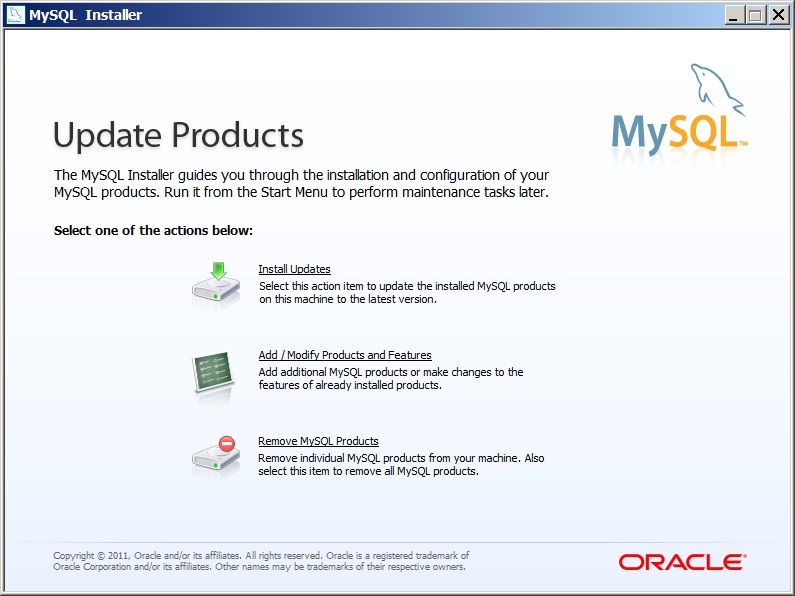
That said, let's get to the point, MySQL Installer! If you read this blog, you know I have copmplained about this puppy several times before (First attempts with MySQL Installer and MySQL Installer part 2), and I have been in touch with the good developers at MySQL / Sun / Oracle / Google (no wait, that last one wasn't right. At least not yet) and for all intents and purposes, they are doing their best (I already knew that) and are listening to us.

So now MySQL Installer is GA. Is it any better than when I complained last time? It sure is!

Now it does what it was set out to do, it does install most of what you need as a MySQL Developer on Windows, it installs the MySQL Server, the Workbench and the drivers. This time around, I removed all Windows products first and then did a clean install, but some old settings still seemed to be around. This could be annoying potentiually, but the machine I was testing really has had a lot of testing on it, so it might be that this is in a weird state. Also, this might be what you want to do. Before doing a clean install, I tried an Upgrade. I had MySQL 5.5.14 on my box, and the installer came with MySQL 5.5.15, so I figured it would offer mne to upgrade if I choose Add/Modify Products and Features. On the other hand, after a clean install, if I choose Add/Modify Products and Features again, the installer insist that there are "changes pending" to the MySQL .NET Connector. If I execute that it executes OK, but the Installer still insist that there are "changes pending" to Connector/.NET.

This may sound like a lot of complaints, but it really is not that bad. If I was a Windows developer coming new to MySQL, this is not a bad starting point at all. But if I was Oracle (which I am not), I'd add a few things:
  • Links - I'd offer in the installer too add a few links to useful places on the net for MySQL stuff. This includes Planet MySQL, MySQL Forge, dev.mysql.com, www.mysql.com, the Bug database (how active that is these days I don't know either).
  • Third party software - There is some third party software that could be interesting to include, such as drivers (PHP etc), tools, plugins etc. There is a whole bunch of these available, and if I was new to MySQL, I would have a hard time selecting which to include and what to do with them. I understand the licensing issues here, but as this is the Community edition of MySQL, that shouldn't be too difficult.
  • Tips and tricks - How do you do this or that? What questions might a Windows developer have when approaching MySQL for the first time.
  • Integration - I would really like to see more integration here, with Visual Studio and with many other Windows developer tools. I admit that this might be there, but that the integration is hidden from me as I don't have those tools.
These are just some ideas moving forward with MySQL Installer. The current product is a bit limited I think, but still useful and is now pretty stable. Why the MySQL Installer is not available on a swedish mirrow is beyond me, but that is a minor issue I think, unless you live in Sweden (like I do).

For reference, I used 1.0.17 of MySQL Installer, something which is not that easy to find out, as the download page states that this is version 5.5.15 (which is the MySQL Server version). The installer itself doesn't say what version it is, at least not as far as I can find out. It does say in the VERSION resource of the MySQLInstaller.exe file though, so looking at properties with Windows Explorer reveals the version.

/Karlsson